Generate or upload an interactive script
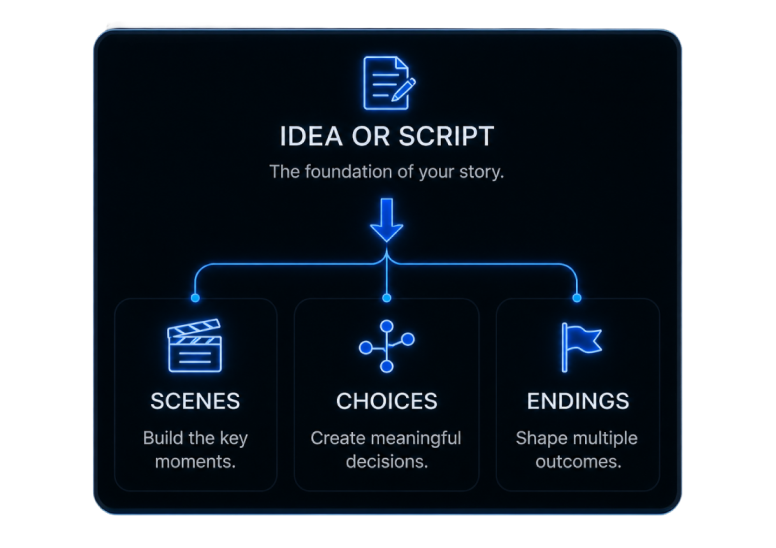
Start with a premise and generate scenes, player choices, alternate routes, and endings—or upload an interactive script you have already written.

AI FMV Game Maker
Start with a prompt or upload your interactive script. LuxReal organizes every scene, player choice, and ending into a visual route map, lets you generate or upload video for each scene, and brings every path together in one playable preview.
How it works
Move from story input to playable preview without rebuilding the project across separate tools.
Start with a premise and generate scenes, player choices, alternate routes, and endings—or upload an interactive script you have already written.
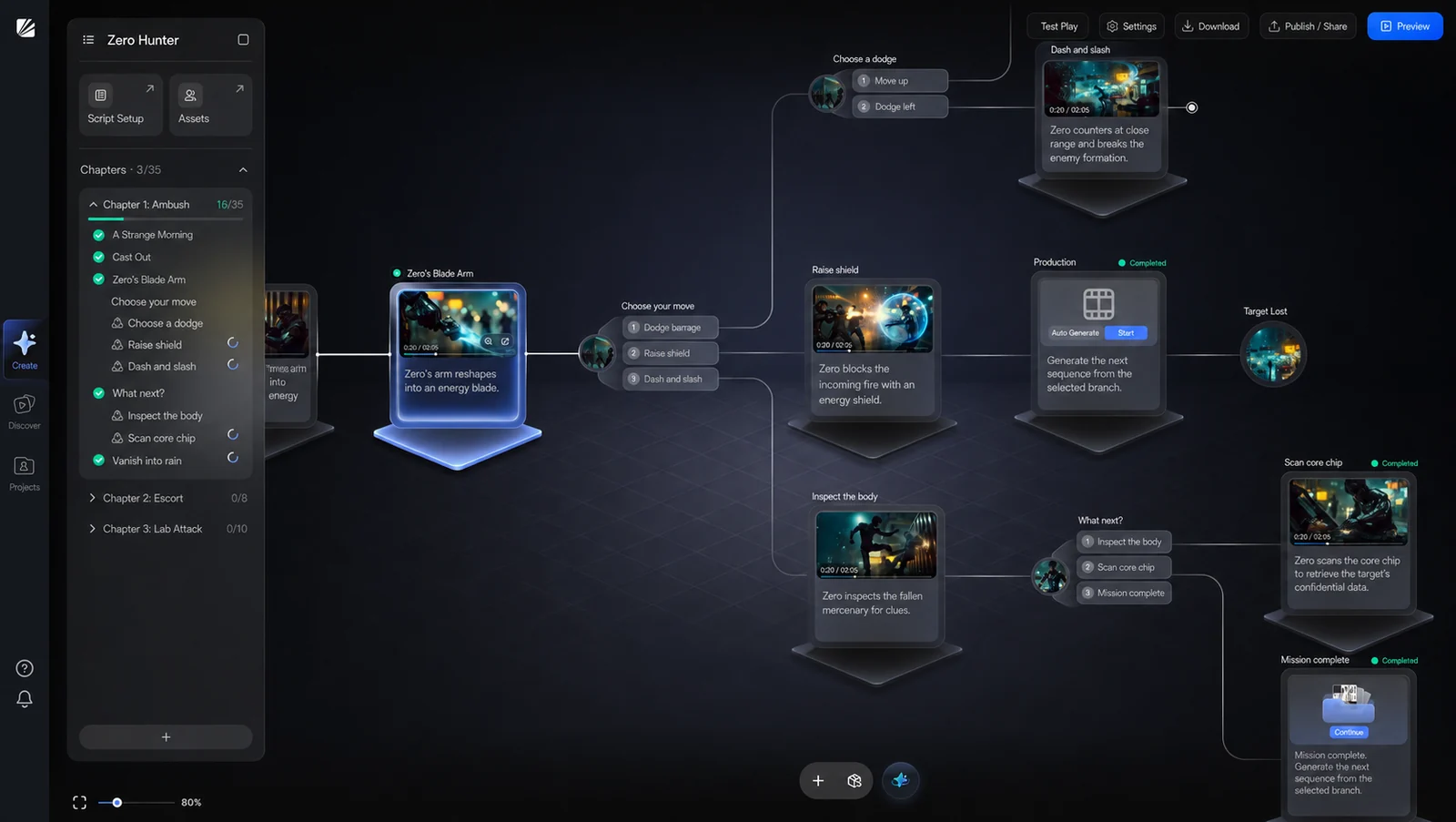
See where choices split the story, how scenes connect, and which route leads to each ending.
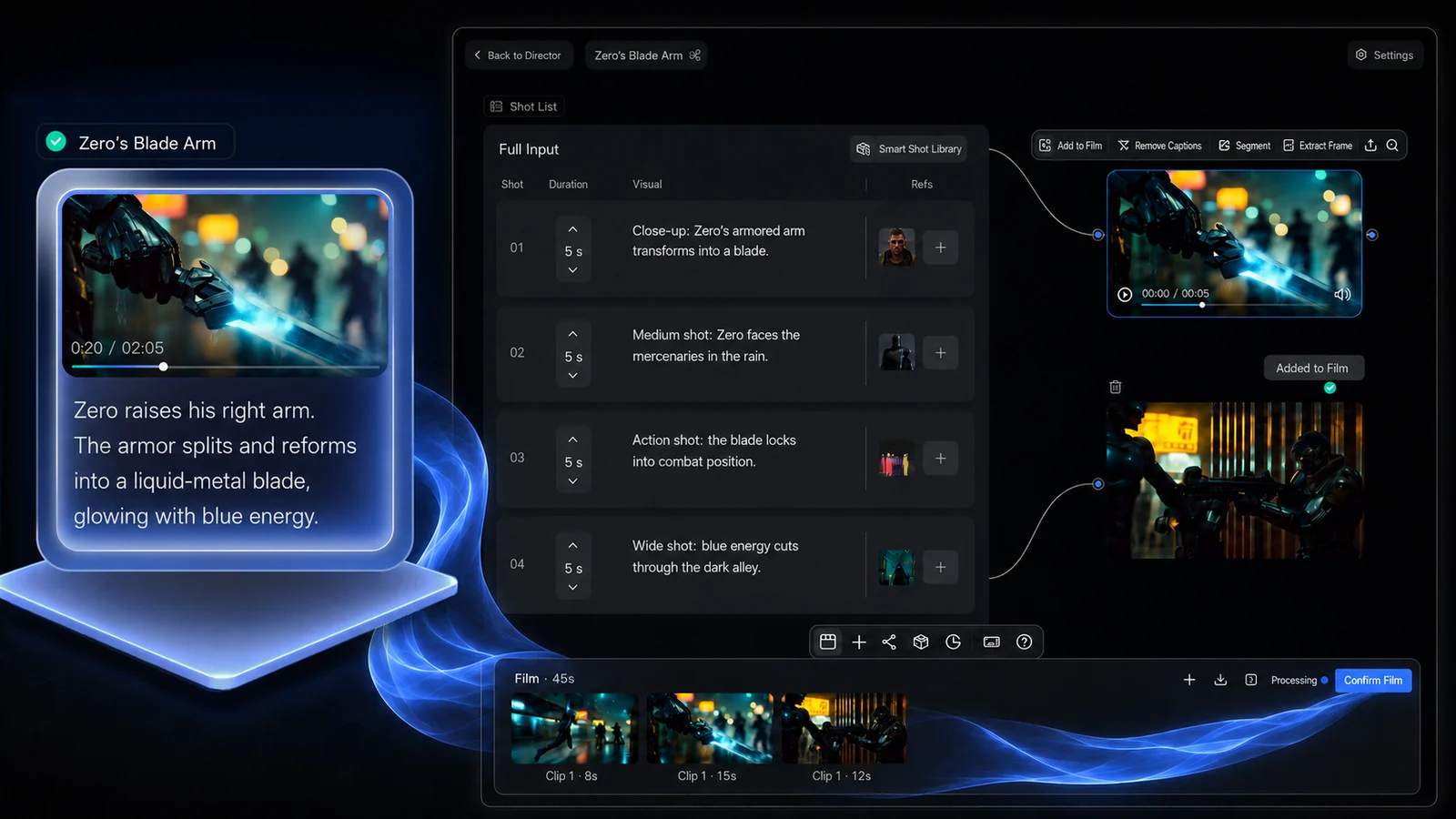
Create video for a scene with AI or attach footage you have already filmed. Use either source throughout the same project.
Play complete routes, switch decisions, and confirm that every choice reaches the intended scene and outcome.
Visual story map
Turn the interactive script into a route map you can review at a glance. Keep the narrative understandable as choices, scenes, and endings multiply.
Core capabilities
Keep the script, route map, video scenes, and playable paths together in one project—from first draft to final preview.
Connected structure
Turn the interactive script into a visual route map instead of manually recreating every scene and choice in a separate flowchart or game engine.
Scene-level production
Generate video with AI or upload your own footage where the scene belongs. Its script context, player choice, and video stay connected in the same project.
Playable validation
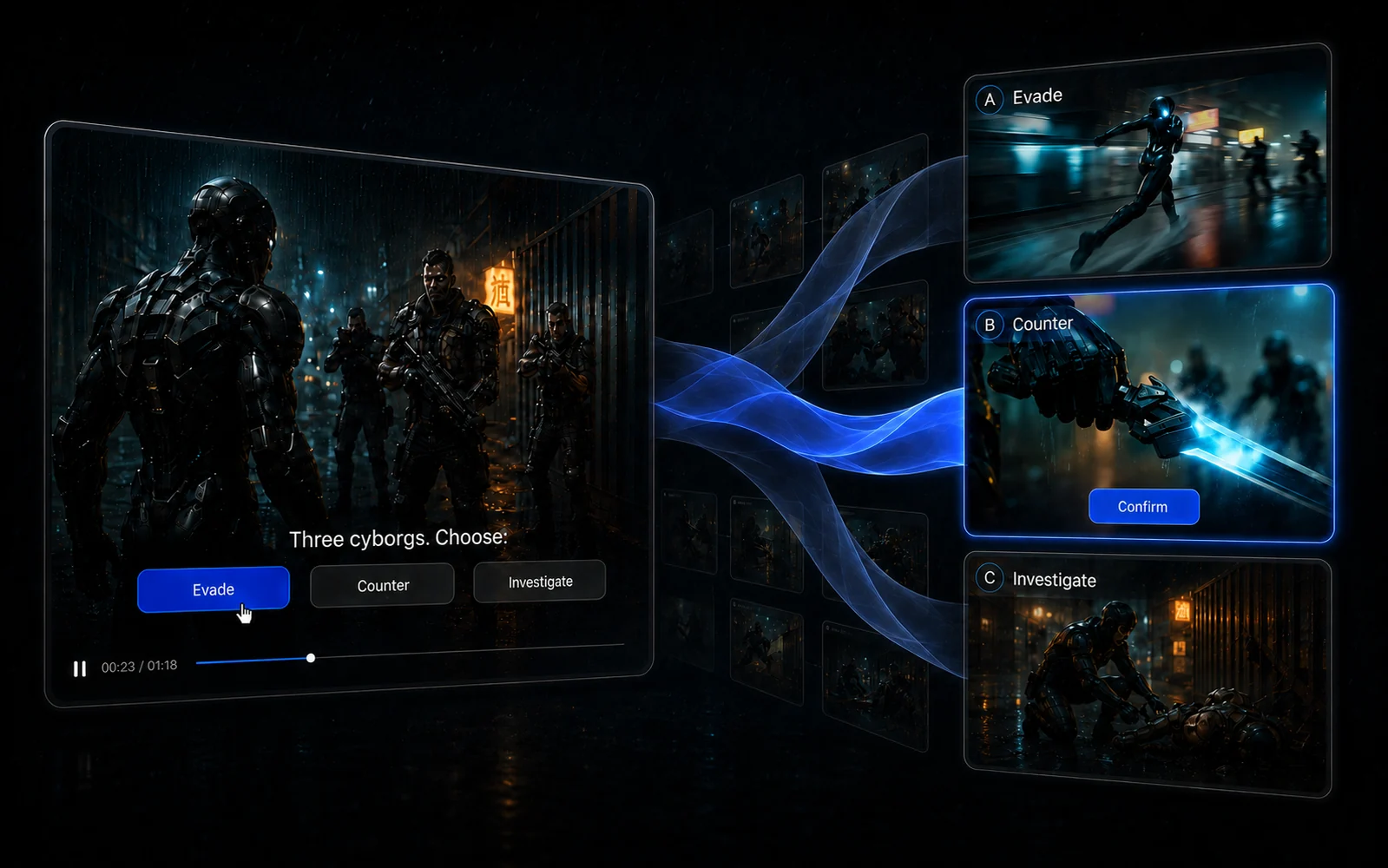
Preview choices in context, follow alternate routes, and check how every path reaches its ending before showing the experience to an audience.
Playable example
See how player choices lead to different scenes and outcomes in a finished interactive FMV experience.

All-in-one workflow
Traditional FMV production separates scriptwriting, route planning, video production, and interactive playback. LuxReal brings them together in one project.
| Production stage | Typical multi-tool workflow | LuxReal |
|---|---|---|
| Interactive script | Write and manage the story in separate software | Generate an interactive script or upload your own |
| Story routes | Rebuild choices and branches in a flowchart or narrative tool | Review every scene, choice, route, and ending on one visual map |
| Video production | Move between AI generation, filming, and video-editing software | Generate video or upload your own footage for each scene |
| Interactive assembly | Connect video playback and choice logic in a game engine or custom build | Keep scenes, choices, and endings connected in the same project |
| Path testing | Test the experience across separate files, tools, and builds | Preview complete story paths without leaving the workspace |
From interactive script to playable FMV experience—without rebuilding the project across separate tools.
FMV Game Maker FAQ
FMV stands for full-motion video. An FMV game uses recorded or generated video scenes, with player choices determining what appears next.
Yes. Start with a story idea and generate an interactive script containing scenes, player choices, alternate routes, and endings.
Yes. Upload an existing interactive script and organize its scenes, choices, and endings as a visual route map.
Yes. Attach prerecorded footage to scenes in the route map and combine it with AI-generated video in the same project.
Yes. Follow complete routes to confirm that each choice leads to the intended scene and ending.
Early access
Join the waitlist for early access to the interactive script, visual route map, AI video, and path preview workflow.